


Views: 0 Author: Site Editor Publish Time: 2025-07-30 Origin: Site


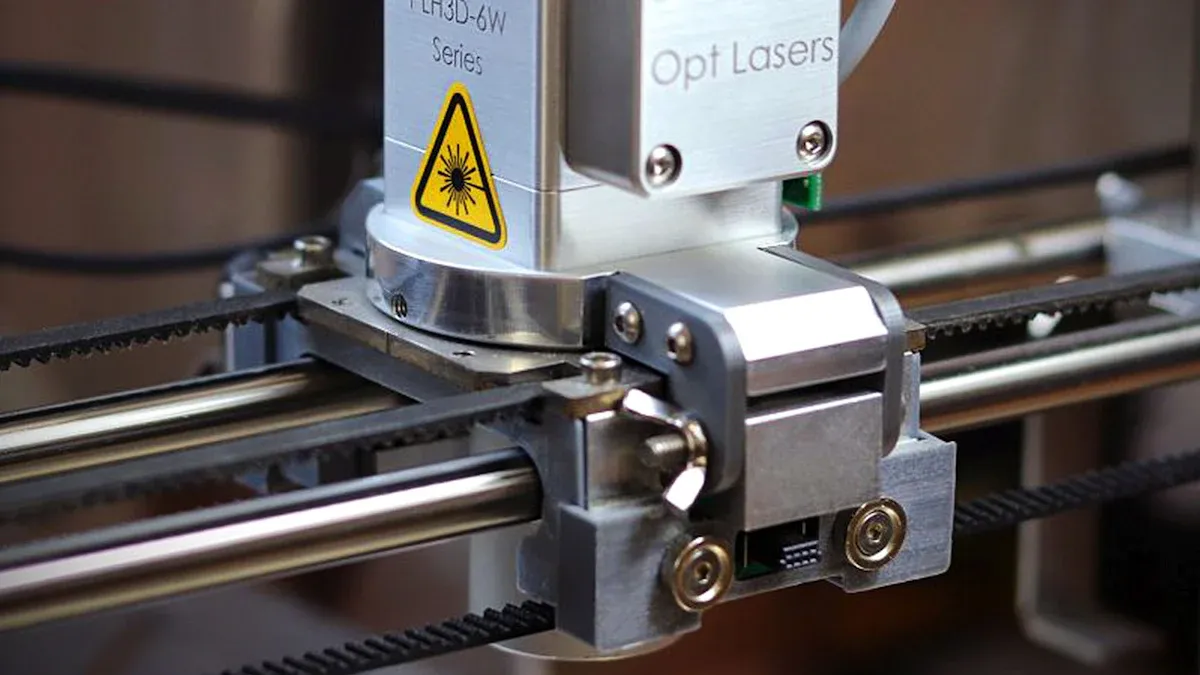
A CNC router machine uses a computer to control cutting, carving, and engraving. It can work with wood, plastic, metal, and composites. In the last ten years, these machines got faster and more accurate. More people want custom products, and new technology helps. This made CNC router machines popular with workers and hobbyists. Now, you can buy cheaper desktop models. These let you make detailed designs at home or in a small shop.
A CNC router machine uses a computer to cut, carve, and engrave many materials. It does this with high accuracy and can repeat the same job many times.
These machines are good for woodworking and metalworking. They also help with prototyping and other projects. Both hobbyists and professionals find them useful.
CNC routers use automation to save time and lower mistakes. They help you make many parts that are exactly the same. This happens quickly and safely.
You should clean, oil, and check your machine often. This regular care helps your machine work well and last longer.
Always follow safety rules and wear protective gear. Learn how to use the machine the right way. This helps you stay safe and feel sure of yourself.
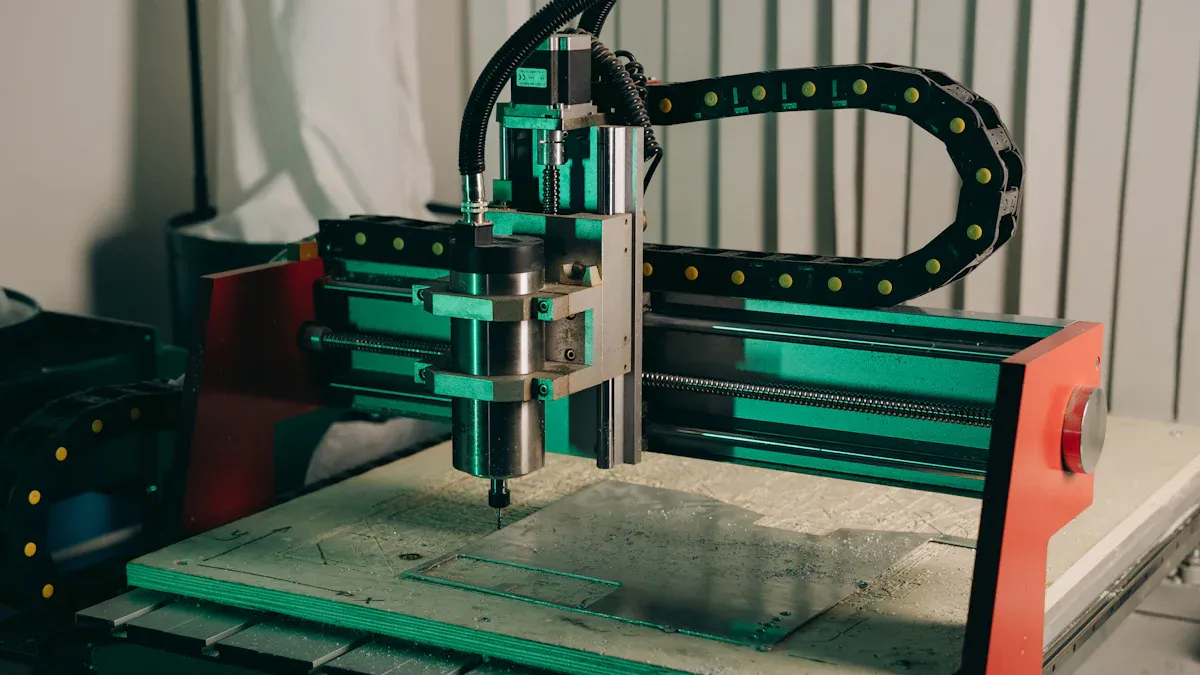
A CNC router machine helps you cut, carve, and engrave different materials. CNC means Computer Numerical Control. A computer tells the machine how to move and what to do. The machine listens to instructions called G-Code. You make these instructions with special software like CAD and CAM. The CNC router machine moves in three directions: X, Y, and Z. This helps you make very exact cuts and shapes.
The CNC router machine has a spindle that spins cutting tools very fast. The computer system gives commands to the machine. You pick a starting spot, called the origin, so the machine knows where to start. You can change things like spindle speed and feed rate for better results.
Here are some important things about CNC router machines:
They use computers to be accurate and repeat actions.
They can cut, mill, and engrave.
They work with wood, plastic, foam, and some metals.
They use software and G-Code to follow your designs.
They move in three or more ways to make complex shapes.
A CNC router machine can do many jobs. People who work with wood, metal, and crafts use these machines a lot. You can find them in big factories or small home shops. They help you make furniture, signs, models, and musical instruments.
| Industry / Sector | Common Applications |
|---|---|
| Woodworking | Furniture, cabinetry, musical instruments |
| Signage and Engraving | Signs, awards, nameplates |
| Aerospace and Automotive | Prototyping, custom parts, airfoils |
| Marine | Boat parts, dash panels, decorative elements |
| Architecture | Decorative panels, moldings, facades |
| Education and Research | Teaching, model making, precise components |
| Medical | Implants, orthotic devices, medical instruments |
| Advertising | Billboards, permanent advertising boards |
| Handicraft | Decorative items, keychains, wooden toys |
You can use a CNC router machine to cut many things:
Wood for furniture and crafts
Plastics like acrylic and polycarbonate
Metals such as aluminum and brass
Foam and composites
Stone for engraving and decoration
CNC router machines are good for hobbyists and professionals. You might use a small desktop machine at home. Factories use big machines. These machines help you make detailed designs, save time, and make fewer mistakes. You can make one item or many copies with the same quality.
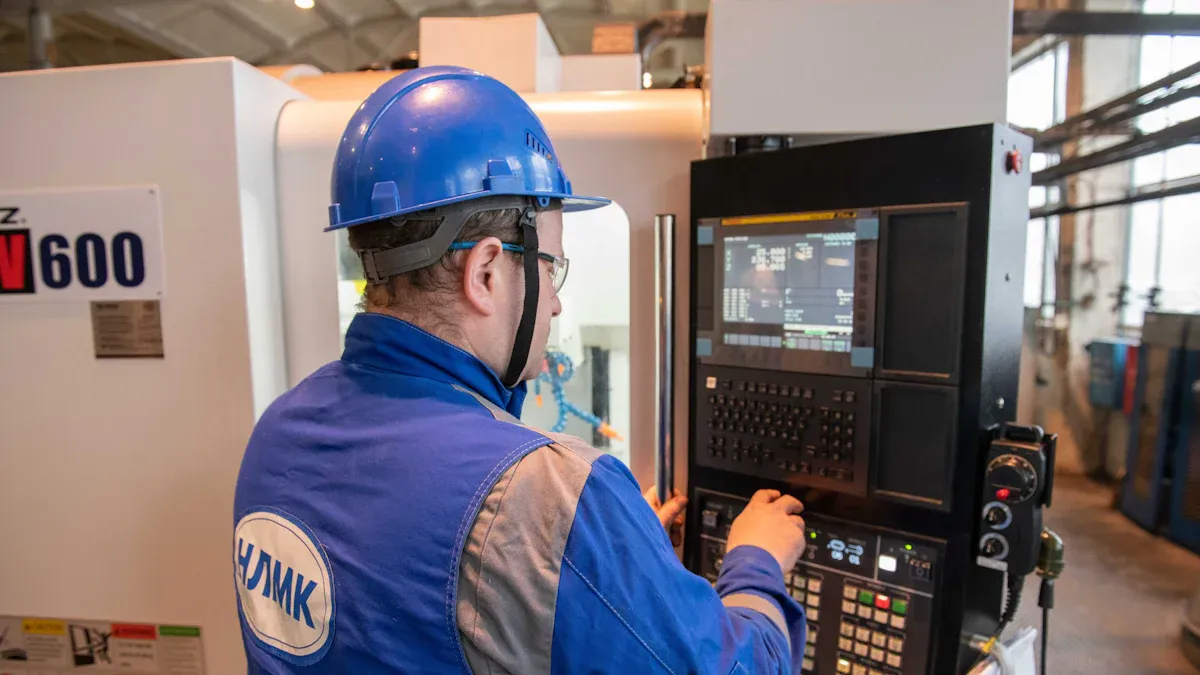
A CNC router machine has several important parts that work together to help you create precise designs. Each part plays a special role in making sure your projects turn out well.
| Component | What It Does |
|---|---|
| Spindle | Spins the cutting tool at high speeds. The spindle's power and speed decide what materials you can cut. |
| Machine Bed/Table | Holds your workpiece steady. A strong bed keeps your cuts accurate and reduces vibration. |
| Linear Drive System | Moves the tool along the X, Y, and Z axes. Guide rails and lead screws help the tool move smoothly. |
| Control System | Acts as the brain. It reads your design files and tells the motors how to move. |
| Frame/Structure | Supports the whole machine. A rigid frame keeps everything stable and prevents shaking. |
| Motors (Stepper/Servo) | Make the parts move. Stepper motors are good for simple moves. Servo motors are better for fast, precise work. |
| Dust Collection System | Removes dust and debris. This keeps your workspace clean and helps the machine last longer. |
The spindle, bed, and controller work closely together. The spindle gives power and speed to the cutting tool. The bed, often made from strong materials like cast iron, keeps your workpiece from moving. The controller reads your instructions and guides the spindle along the right path. High-quality guide rails and drives help the machine move smoothly and accurately. When these parts work together, you get clean and precise cuts every time.
Tip: Always check that your dust collection system works well. This keeps your machine running smoothly and protects your health.
You can turn your digital design into a real object with a CNC router machine by following a series of steps. Here is how the process usually works:
Power on the CNC router machine. Make sure the controller, dust collector, and vacuum table are ready.
Choose the right cutting tool for your material. For example, use a different end mill for wood than for metal.
If needed, change the cutting tool. Loosen the collet, swap the bit, and tighten it again.
Secure your workpiece on the machine bed. Use clamps, vacuum zones, or special fixtures to keep it still.
Set up the machine axes (X, Y, and Z). Zero the machine so it knows where to start cutting.
Load your CNC program (G-code) into the controller. This code tells the machine exactly what to do.
Run a dry test. The machine will follow the path without cutting to make sure there are no mistakes.
Start the cutting process. Watch the machine as it works to catch any problems early.
When the job finishes, remove your part carefully. Check for sharp edges or rough spots and clean them up if needed.
Clean the machine and do basic maintenance. Remove chips, check the tool for wear, and make sure everything is ready for next time.
You will use different types of software during this process. First, you create your design in CAD software. Next, you use CAM software to turn your design into G-code. Finally, the control software reads the G-code and moves the machine. Some controllers use a computer, while others use a handheld device or an all-in-one system. Each type has its own benefits, like easy setup or more advanced features.
Note: Always wear safety gear like goggles and ear protection. Know where the emergency stop button is before you start.
A CNC router machine gives you the power to make detailed and repeatable cuts. By understanding how each part works and following the right steps, you can create high-quality projects safely and efficiently.
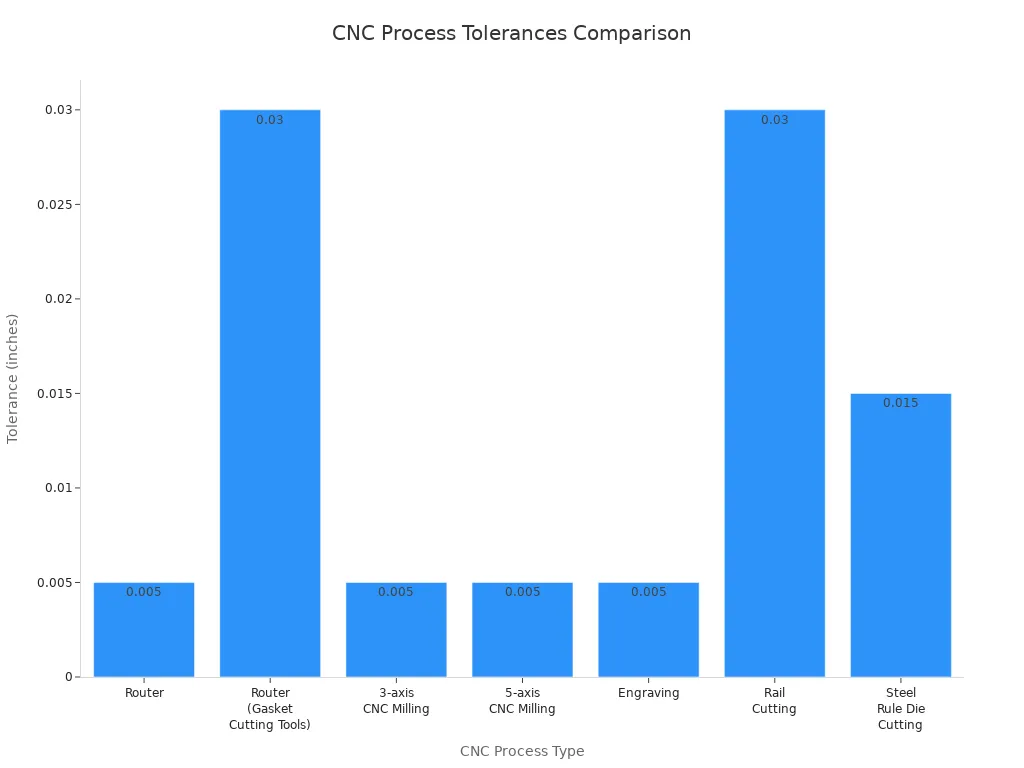
A CNC router machine can make very exact cuts. It uses a computer to move the cutting tool with great care. Most CNC routers can keep cuts within ±0.005 inches (0.13 mm). This is much more exact than cutting by hand. When you use manual tools, your skill affects the results. The table below shows how CNC routers and other machines compare:
| CNC Process Type | Standard Tolerance |
|---|---|
| Router | ±0.005" (0.13 mm) |
| Router (Gasket Cutting Tools) | ±0.030" (0.762 mm) |
| 3-axis CNC Milling | ±0.005" (0.13 mm) |
| 5-axis CNC Milling | ±0.005" (0.13 mm) |
| Engraving | ±0.005" (0.13 mm) |
| Rail Cutting | ±0.030" (0.762 mm) |
| Steel Rule Die Cutting | ±0.015" (0.381 mm) |
The machine always follows the same path for each part. This means you get the same results every time. Feedback systems and moving in many directions help make cuts even more exact. Hand tools cannot do this as well.
Automation helps you finish work faster and with less effort. You do not have to move the tool by hand. The CNC router machine follows set instructions. This stops mistakes from tiredness or lack of skill. Here are some ways automation helps you:
The machine can do the same job over and over with no change.
Robotic arms or special holders can put in and take out materials.
You can make ten parts in the time it takes to make one by hand.
You do not need to do hard work, and you only need simple training.
Automation makes your workspace safer because you touch things less.
Tip: Automation lets you spend more time on design and planning. The machine does the hard work for you.
A CNC router machine can work with many materials. This means you can do many different projects. Here are some materials you can use:
Wood, MDF, and plywood
Plastics like acrylic and polycarbonate
Composites, foam, and laminate
Metals such as aluminum and brass
Stone, glass, ceramics, leather, and rubber
Paper and cardboard
Some materials need extra care. Hard metals like steel or titanium can wear out tools fast or cause mistakes. Glass or ceramics can break if you use the wrong settings. Soft things like foam or rubber may not keep their shape. Always check your machine’s power and pick the right tool for each job. Good dust collection and air flow keep you safe, especially with composites or metals.
Note: Pick your material based on what you need and what your machine can do.
A CNC router machine helps you finish work much faster. The machine does the cutting by itself, so you do not need to move the tool. This means you make fewer mistakes and every cut is the same. You save a lot of time because the machine works in minutes, not hours. You can do many steps at once, so you do not stop to change tools a lot. Here are some ways a CNC router machine makes you more efficient:
The machine follows exact paths, so you use less material.
You get the same results each time, even for big jobs.
Automated cutting helps you finish work on time.
You can do more projects in less time.
Tip: Using a CNC router machine means you fix fewer mistakes and spend more time making new things.
A CNC router machine lets you work with many materials and designs. You can switch between wood, plastic, aluminum, and composites easily. The machine lets you use different tools for each job, like knives, cutters, or lasers. You can make simple flat shapes or detailed 3D carvings. Many businesses use these machines, like furniture shops, airplane makers, and electronics companies. Here are some reasons why CNC routers are very useful:
You can quickly change tools and settings for new jobs.
The machine works for both easy and hard projects.
You can add new parts to the machine as you need them.
Digital controls help you keep up with new ideas and needs.
Note: You can use one CNC router machine to make signs, cabinets, airplane parts, or cases for electronics.
A CNC router machine gives you great results every time. The computer controls every move, so you get smooth edges and exact shapes. This means fewer mistakes and your work looks professional. You can make the same design over and over, and each piece will match. The machine uses design software, so you can fix problems before you start cutting. Here are some ways CNC routers make your work better:
The machine makes detailed cuts that fit tightly.
You get smoother surfaces and fewer problems.
You can make shapes that are hard to do by hand.
The machine can work for a long time and still be accurate.
Tip: Good quality helps people trust your work and helps your business grow.
Woodworking is where CNC router machines help the most. Many shops and factories use them to make furniture and cabinets. They also use them for signs. You can make custom or ready-made furniture fast and with lots of detail. Cabinet makers use CNC routers for exact cuts and hard designs. Sign makers use them to carve strong, detailed wooden signs for stores and hotels. Offices use these signs too. Woodworking shops use CNC routers to do jobs faster and handle tough work.
Furniture making
Cabinet building
Sign carving
Making musical instruments
Architectural woodwork
Custom wood items
Woodworking is the biggest part of the CNC router market. This is because people want custom designs for homes and offices. Public places need them too. You can use a CNC router machine to make simple or fancy woodwork. This helps you follow new styles in design and building.
CNC router machines are good for many metalworking jobs. They can cut, engrave, and mill metal sheets or blocks. You can engrave words or designs on metal for jewelry or parts. Milling lets you make grooves, holes, and 3D shapes. Drilling with CNC routers gives you exact holes in many sizes. You can also make metal surfaces smooth or rough.
Cutting and engraving
Milling and drilling
Routing and surface work
Custom metal jobs
3D shaping
Metalworking has special problems. Cutting makes heat that can wear out tools or bend metal. You need a strong machine and special tools for hard metals. Coolant systems help keep things cool and tools sharp. Good control systems and strong frames help you get exact results, even with hard jobs.
A CNC router machine helps you make prototypes fast and with care. You can shape and finish parts that look like the real thing. This works with many materials, so you can try new ideas. You get close fits and small details, which are good for testing.
Fast for new ideas
Works with metal, plastic, and composites
Handles hard shapes and features
Saves money by using less material
Can make one or many parts
You can use CNC routers for prototypes in cars, planes, and medical tools. Electronics use them too. The machine lets you go from idea to finished part quickly. You can test, change, and get ready to make more parts faster.
When picking a CNC router machine, think about your projects and space. Decide what you want to cut, like wood, metal, or plastic. Make sure the machine can handle your material’s size and thickness. Check if the frame is strong. Steel or aluminum frames help stop shaking and keep cuts neat. Look at how the machine moves. Good rails and screws help it move smoothly and stay on track.
Here are some things to think about:
Spindle power: More power lets you cut tough materials.
Motors: Stepper motors are good for easy jobs. Servo motors work better for fast or tricky work.
Software: Good CAD/CAM software helps you design and control the machine.
Controller: A controller that lets you change things quickly helps fix problems fast.
Machine size: Pick a size that fits your shop and biggest projects.
Budget: Choose a price that gives you the features you need and is reliable.
Support: Pick a brand with helpful customer service and easy-to-find parts.
Tip: Always choose a CNC router machine that fits your project needs and how much you plan to make.
Doing regular maintenance keeps your CNC router machine working well and lasting longer. Clean the machine after each use. Take away dust and chips from rails, screws, and cutting spots. Oil moving parts as the manual says, but do not use too much. Check belts and cables for damage or if they are loose. Listen to the spindle for odd sounds. Keep the collet clean and tight. Update your software and save your files often.
A simple schedule helps you remember:
Daily: Wipe surfaces, check for loose bolts, and look at tools.
Weekly: Oil rails and screws, check belt tightness, and look at cables.
Monthly: Check the whole machine, review logs, and update software.
Note: Keep extra parts like router bits and collets ready so you do not have to wait if something breaks.
Safety matters a lot when using a CNC router machine. Always wear safety glasses, ear protection, and a dust mask. Make sure emergency stop buttons and guards work. Keep your workspace tidy and clear. Use dust collectors to get rid of bad particles in the air. Get training before you start. Learn how to handle materials safely to avoid getting hurt.
Some risks are electric shocks, sharp tools, and flying pieces. Lower these risks by following safety rules, wearing PPE, and keeping the machine in good shape. Lockout/tagout steps help stop accidents during repairs. Good lights and clear paths make your shop safer.
Remember: A safe shop keeps you and your CNC router machine protected.
A CNC router machine lets you make detailed and tricky designs easily.
It helps you work faster and better by doing jobs automatically. This means you make fewer mistakes.
You save both time and money because the machine is quick and does not need much help.
You can use it for lots of things, like making furniture or testing new ideas, because it works with many projects.
Pick a CNC router machine that fits what you want to do. Take care of your machine so it keeps working well. This way, you get great results and your machine lasts longer. Try new projects and use your imagination with this strong tool.
You can cut wood, plastic, foam, and soft metals like aluminum. Some machines also handle composites and stone. Always check your machine’s power and use the right tool for each material.
You use CAD software to draw your design. Then, you use CAM software to turn your drawing into G-code. The machine reads this code and follows the path you set.
Yes, you can use a CNC router machine safely if you follow the rules. Always wear safety gear and learn how to use the controls. Know where the emergency stop button is before you start.
You should clean your machine after every use. Check moving parts and oil them weekly. Inspect belts and cables every month. Regular care helps your machine last longer.
Yes! You can make 3D carvings by using special software and the right cutting tools. The machine moves in three directions to shape your material into detailed 3D designs.


